Fix Expo Heap Memory
How I resolved Expo bundling failures caused by memory limits by increasing Node.js heap size on both Linux and Windows.
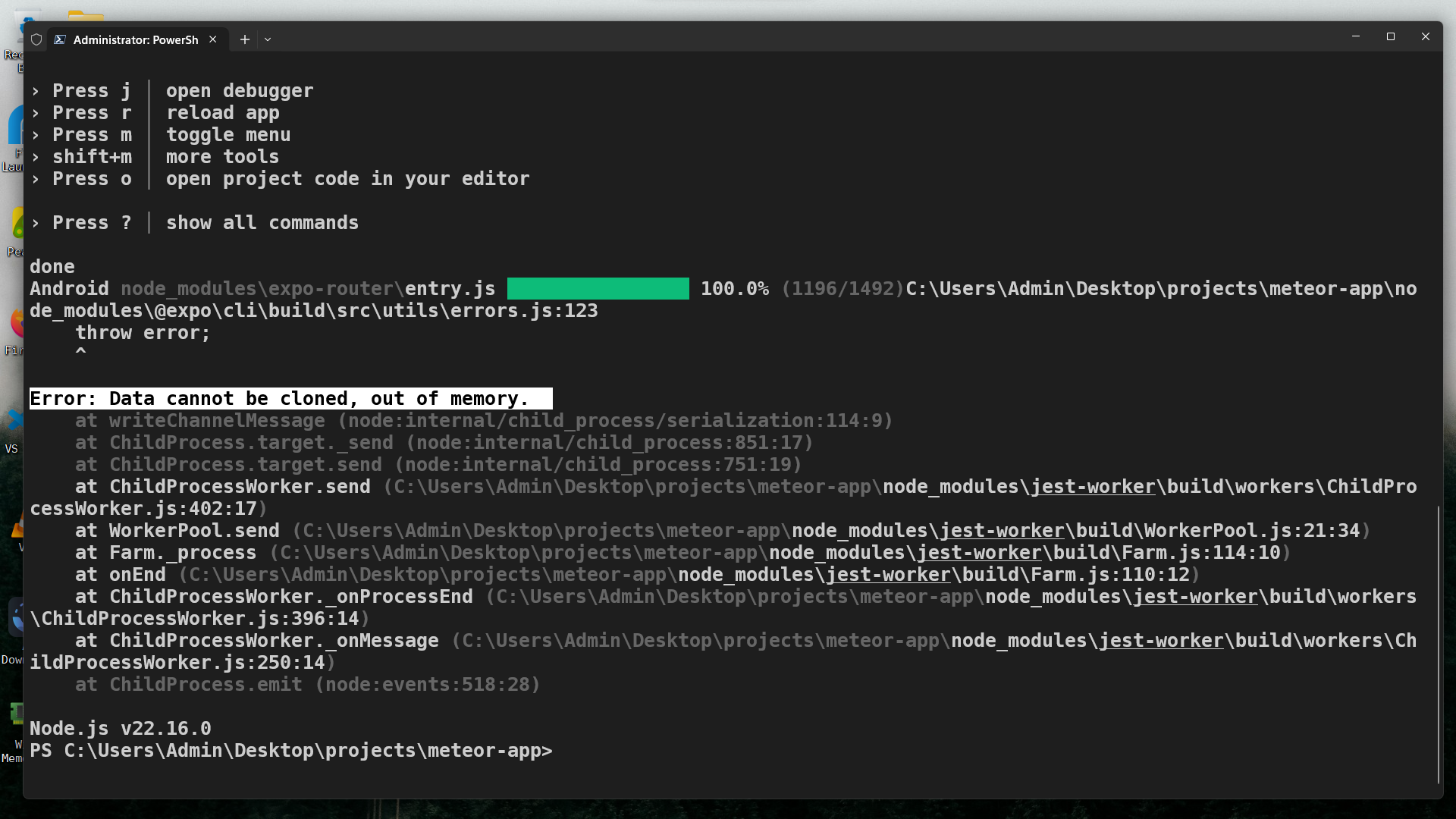
This one bit me in a large Expo app, bundling died mid-way. Here’s the exact fix that saved me time.
While developing a large React Native app using Expo, I ran into a crash that looked like this:
Android Bundling failed 29201ms node\_modules/expo-router/entry.js (2156 modules)
ERROR global.css: A jest worker process (pid=4320) was terminated by another process: signal=SIGTERM
This usually means that the Node.js process was killed due to out-of-memory conditions, especially during heavy bundling in complex projects, tracing this out took an eternity.
Checking Current Node Heap Size
Before changing anything, check how much heap memory Node is using:
node -e "console.log((require('v8').getHeapStatistics().heap_size_limit / 1024 / 1024).toFixed(2) + ' MB')"If it prints something around 2096.00 MB, then you're hitting the ~2GB default heap limit.
Increasing Heap Size (Linux/macOS - Zsh or Bash)
To temporarily increase heap size for the current terminal session:
export NODE_OPTIONS="--max_old_space_size=4096"Then start your Expo app:
npx expo startTo make this permanent, add the export line to your shell config:
-
For Zsh:
echo 'export NODE_OPTIONS="--max_old_space_size=4096"' >> ~/.zshrc source ~/.zshrc -
For Bash:
echo 'export NODE_OPTIONS="--max_old_space_size=4096"' >> ~/.bashrc
source ~/.bashrc
You can verify the new limit with:
node -e "console.log((require('v8').getHeapStatistics().heap_size_limit / 1024 / 1024).toFixed(2) + ' MB')"Expected output:
~4144.00 MBIncreasing Heap Size on Windows (PowerShell or CMD)
Temporary (Current Session Only)
PowerShell:
$env:NODE_OPTIONS="--max_old_space_size=4096"
npx expo start
Command Prompt:
set NODE_OPTIONS=--max_old_space_size=4096
expo start
Permanent (System Environment Variable)
-
Press
Win + R, typesysdm.cpl, press Enter. -
Go to the Advanced tab -> click Environment Variables.
-
Under User Variables, click New:
- Variable name:
NODE_OPTIONS - Variable value:
--max_old_space_size=4096
- Variable name:
-
Click OK, restart your terminal.
Verify with:
node -e "console.log((require('v8').getHeapStatistics().heap_size_limit / 1024 / 1024).toFixed(2) + ' MB')"Optional: package.json Shortcut
To avoid manually setting environment variables, add a start script:
For Windows (CMD-style)
"scripts": {
  "start": "set NODE_OPTIONS=--max_old_space_size=4096 && expo start"
}
Cross-platform (with cross-env)
Install the tool:
npm install --save-dev cross-envThen in package.json:
"scripts": {
  "start": "cross-env NODE_OPTIONS=--max_old_space_size=4096 expo start"
}
Conclusion
Once I increased the heap size, Expo bundling no longer crashed, and the Jest worker errors disappeared. This is a common issue for heavier Expo React Native apps, and adjusting the memory limit is an effective fix.
If you're hitting bundling crashes or random process kills during development, check your heap size, it might be the culprit.
-- Mohammad